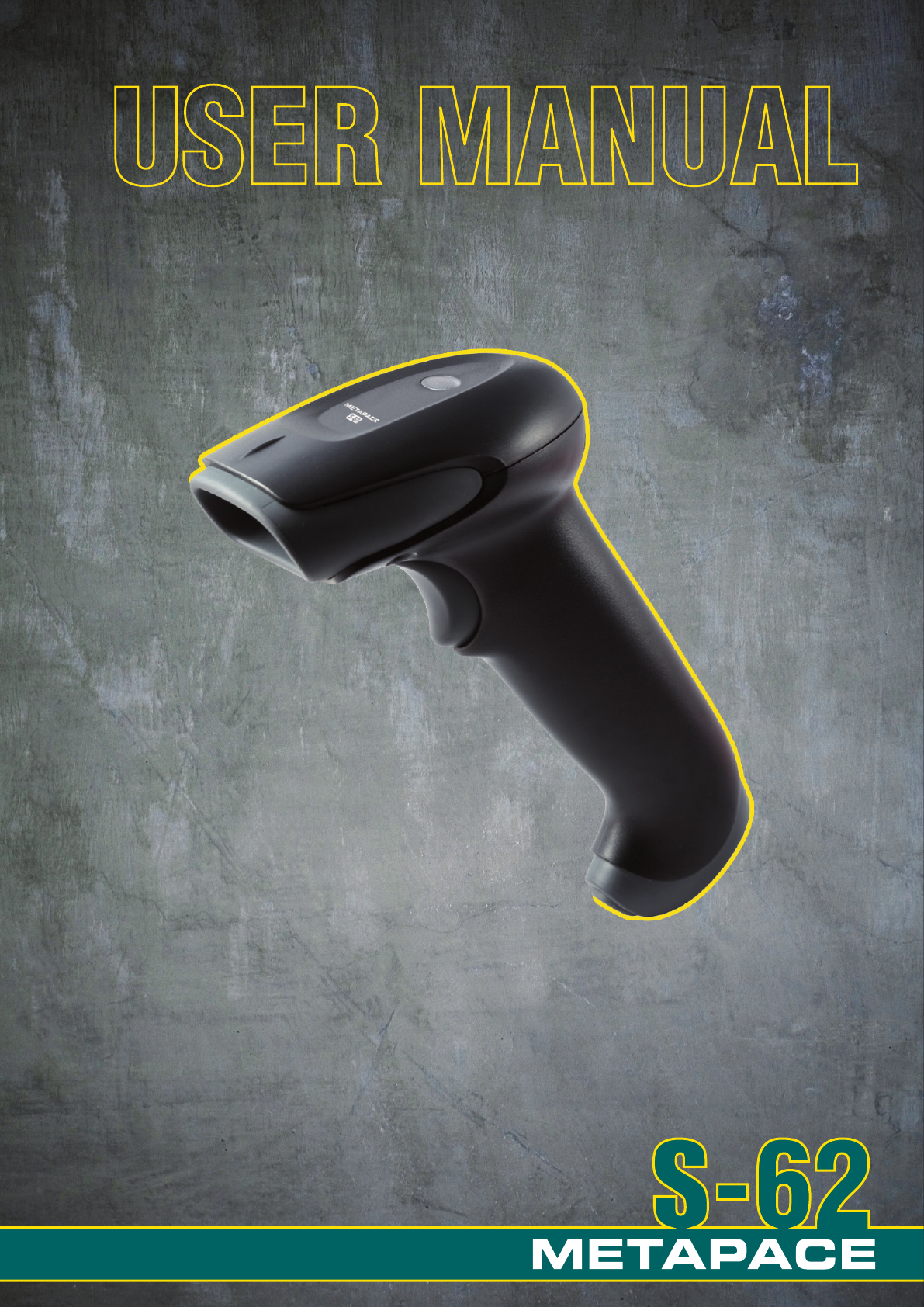
Metapace S-62 Specifikace
Procházejte online nebo si stáhněte Specifikace pro Čtečky čárových kódů Metapace S-62. Metapace S-62 Specifications Uživatelská příručka
- Strana / 130
- Tabulka s obsahem
- KNIHY

- Disclaimer 2
- Table of Contents 3
- Chapter 6 - Symbologies 4
- Chapter 7 - Interface Keys 5
- Chapter 8 - Utilities 5
- Product Agency Compliance 7
- International 9
- Solids and Water Protection 9
- Getting Started 10
- Reading Techniques 12
- Setting Custom Defaults 13
- Resetting the Custom Defaults 13
- Remove Custom Defaults 14
- Activate Defaults 14
- Programming the Interface 15
- USB IBM SurePos 16
- USB PC or Macintosh Keyboard 16
- USB HID Bar Code Scanner 17
- Keyboard Country Layout 18
- Keyboard Country (continued) 19
- Keyboard Style 24
- * Regular 25
- Caps Lock 25
- Shift Lock 25
- Automatic Caps Lock 25
- Autocaps via NumLock 25
- Keyboard Conversion 26
- Control Character Output 26
- Keyboard Modifiers 27
- Default = Off 28
- Default = Off 28
- Input/Output Settings 29
- Beeper – Good Read 30
- Beeper Volume – Good Read 30
- Beeper Pitch – Good Read 31
- Beeper Pitch – Error 31
- Beeper Duration – Good Read 31
- LED – Good Read 32
- Number of Beeps – Good Read 32
- Number of Beeps – Error 32
- Manual Trigger Mode 33
- In-Stand Sensor Mode 34
- Presentation Mode 35
- Presentation Sensitivity 36
- Presentation Centering 36
- Bar Code 1 37
- Bar Code 2 37
- CodeGate 38
- Mobile Phone Read Mode 39
- Hands Free Time-Out 39
- Reread Delay 39
- User-Specified Reread Delay 40
- Scanner Time-Out 40
- Centering 41
- Data Editing 43
- Prefix Selections 45
- Suffix Selections 46
- Function Code Transmit 46
- Intermessage Delays 46
- Intercharacter Delay 47
- Interfunction Delay 48
- Intermessage Delay 48
- Data Formatting 49
- Enter Data Format 50
- Other Programming Selections 51
- Data Format Editor Commands 52
- Terminal ID Table 52
- Move Commands 53
- Search Commands 53
- Miscellaneous Commands 54
- Data Formatter 55
- Symbologies 57
- All Symbologies 58
- Message Length Description 58
- Codabar On/Off 59
- Codabar Start/Stop Characters 59
- Codabar Check Character 59
- Codabar Concatenation 60
- Codabar Message Length 61
- Transmit 62
- * Don’t Transmit 62
- Code 39 Message Length 63
- Code 39 Append 63
- Full ASCII 64
- Code 39 Code Page 65
- Interleaved 2 of 5 66
- NEC 2 of 5 67
- NEC 2 of 5 Message Length 68
- Code 93 On/Off 69
- Code 93 Message Length 69
- Code 93 Append 69
- Code 93 Code Page 70
- Default = 48 71
- Straight 2 of 5 IATA On/Off 72
- Matrix 2 of 5 73
- Code 128 74
- Code 128 Message Length 75
- Code 128 Append 75
- Code 128 Code Page 75
- GS1-128 On/Off 76
- GS1-128 Message Length 76
- UPC-A Number System 77
- UPC-A Addenda 77
- UPC-A Addenda Required 77
- GS1 Emulation 78
- Coupon GS1 DataBar Output 79
- UPC-E0 Expand 80
- UPC-E0 Addenda Required 80
- UPC-E0 Addenda Separator 80
- UPC-E0 Check Digit 81
- UPC-E0 Number System 81
- UPC-E0 Addenda 81
- EAN/JAN-13 82
- EAN/JAN-13 Addenda 83
- EAN/JAN-13 Addenda Required 83
- EAN/JAN-13 Addenda Separator 84
- ISBN Translate 84
- EAN/JAN-8 85
- EAN/JAN-8 Addenda 86
- EAN/JAN-8 Addenda Required 86
- EAN/JAN-8 Addenda Separator 86
- MSI On/Off 87
- MSI Check Character 87
- MSI Message Length 88
- GS1 DataBar Omnidirectional 89
- GS1 DataBar Limited 89
- GS1 DataBar Expanded 90
- Codablock A 91
- PDF417 On/Off 93
- PDF417 Message Length 93
- MacroPDF417 94
- MicroPDF417 94
- GS1 Composite Codes 95
- TCIF Linked Code 39 (TLC39) 97
- QR Code On/Off 98
- QR Code Message Length 98
- QR Code Append 98
- QR Code Page 99
- Data Matrix 100
- Data Matrix Code Page 101
- Aztec Code 102
- Aztec Code Page 103
- Postal Codes - Linear 104
- Minimum Message Length 105
- Maximum Message Length 105
- Korea Post 106
- Interface Keys 107
- Supported Interface Keys 109
- Utilities 110
- Show Data Format 111
- Test Menu 111
- Standard Cable Pinouts 112
- Maintenance 113
- Replacing an Interface Cable 114
- Technical Assistance 116
- Limited Warranty 116
- Reference Charts 118
- Non-Printable Characters 121
- Printable Characters 121
- Extended ASCII Characters 122
- Unicode Key Maps 125
- Sample Symbols 126
- Programming Chart 129
Shrnutí obsahu
1 Getting Started1-11 - 11Getting StartedAbout This ManualThis User’s Guide provides installation and programming instructions for the Metapace S-62 a
6-466 - 46Data Matrix< Default All Data Matrix Settings >Data Matrix On/OffData Matrix Message LengthScan the bar codes below to change the mess
6-476 - 47mined by information encoded in those bar codes. Once the proper num-ber of codes is reached, the data is output in the order specified in
6-486 - 48Aztec Code< Default All Aztec Code Settings >Aztec Code On/OffAztec Code Message LengthScan the bar codes below to change the message
6-496 - 49ter(s), it buffers the number of Aztec bar codes determined by information encoded in those bar codes. Once the proper number of codes is r
6-506 - 50Chinese Sensible (Han Xin) Code< Default All Han Xin Settings >Han Xin Code On/OffHan Xin Code Message LengthScan the bar codes below
6-516 - 51China Post (Hong Kong 2 of 5) On/OffChina Post (Hong Kong 2 of 5) Message LengthScan the bar codes below to change the message length. Refe
6-526 - 52Korea Post<Default All Korea Post Settings>Korea PostKorea Post Message LengthScan the bar codes below to change the message length.
7-17 Interface Keys7 - 17Interface KeysKeyboard Function RelationshipsThe following Keyboard Function Code, Hex/ASCII Value, and Full ASCII “CTRL”+ r
7-27 - 2The last five characters in the Full ASCII “CTRL”+ column ( [ \ ] 6 - ), apply to US only. The following chart indicates the equivalents of
7-37 - 3Supported Interface KeysASCII HEXIBM PC/AT and Compatibles, USB PC KeyboardApple Mac/iMac Supported KeysNUL 00 Reserved ReservedSOH 01 Enter
1-1 1-21 - 2Connecting the DeviceConnecting with USBA scanner can be connected to the USB port of a computer. 1. Connect the appropriate interface ca
8-18 - 18UtilitiesTo Add a Test Code I.D. Prefix to All SymbologiesThis selection allows you to turn on transmission of a Code I.D. before the decoded
8-28 - 2Show Data FormatScan the bar code below to show current data format settings.Test MenuWhen you scan the Test Menu On code, then scan a program
9-19 Product Specications10 - 5Standard Cable PinoutsUSB10 Pin Modular Plug1 Cable shield2 Cable select3 Supply ground4567 +5V power89 Data +10 Data
10-110 Maintenance11 - 111MaintenanceRepairsRepairs and/or upgrades are not to be performed on this product. These ser-vices are to be performed only
10-210 - 2• Order replacement cables from Metapace or from an authorized distributor.• When ordering a replacement cable, specify the cable part numbe
10-311 - 3• You need to program a suffix. Programming a suffix enables the scanner to output the bar code data plus the key you need (such as “CR”) t
11-111 Customer SupportTechnical AssistanceContact information for technical support, product service, and repair can be found at www.metapace.com.Lim
11-2All provisions of this Limited Warranty are separate and severable, whichmeans that if any provision is held invalid and unenforceable, such deter
A-1A1 Reference ChartsA - 1AReference ChartsSymbology ChartSymbology AIM IDPossible AIM ID Modifiers (m)Code ID (hex)All Symbologies (0x99)Australian
A-2A - 2EAN-8 with Add-On ]E3 D (0x44)GS1 Composite ]em0-3 y (0x79)GS1 DataBar ]em0 y (0x79)GS1 DataBar Limited ]em{ (0x7B)GS1 DataBar Omnidirect
1-61 - 3Reading TechniquesThe scanner has a view finder that projects a bright red aiming beam that corre-sponds to the scanner’s horizontal field of
A-3A - 3Note: “m” represents the AIM modifier character. Refer to International Technical Specification, Symbology Identifiers, for AIM modifier char
A-4A - 4ASCII Conversion Chart (Code Page 1252)Note: This table applies to U.S. style keyboards. Certain characters may differ depending on your Coun
A-5A - 540 28 ( 72 48 H 104 68 h41 29 ) 73 49 I 105 69 i42 2A * 74 4A J 106 6A j43 2B + 75 4B K 107 6B k44 2C , 76 4C L 108 6C l45 2D - 77 4D M 109 6
A-6A - 6Code Page Mapping of Printed Bar CodesCode pages define the mapping of character codes to characters. If the data received does not display w
A-7A - 7one the host program is expecting. If this is the case, select the code page with which the bar codes were created. The data characters shou
A-8A - 8Unicode Key Maps6E70 71 72 73 74 75 76 77 78 79 7A 7B 7C 7D 7E4B 50 554C 51 5601 02 03 04 05 06 07 08 09 0A 0B 0C 0D 0F10 11 12 13 14 15 16 17
Sample SymbolsUPC-A0 123456 7890Interleaved 2 of 5Code 128EAN-13Code 39Codabar1234567890Code 1289 780330 290951BC321A13579BCode 93123456-9$Straigh
Sample Symbols6543210GS1 DataBar(01)00123456789012PDF417PostnetCar RegistrationZip CodeData MatrixQR CodeTest SymbolNumbersMatrix 2 of 5ID-tag (UPU 4-
Sample SymbolsAztecMaxiCodeMicro PDF417Package LabelTest MessageTest Message
Programming Chart1023675489
1-6 1-71 - 4Setting Custom DefaultsYou have the ability to create a set of menu commands as your own, custom defaults. To do so, scan the Set Custom
Programming ChartNote: If you make an error while scanning the letters or digits (before scanning Save), scan Discard, scan the correct letters or dig
1-81 - 5Resetting the Factory DefaultsIf you aren’t sure what programming options are in your scanner, or you’ve changed some options and want to rest
2-12 Programming the Interface2 - 12Programming the InterfaceIntroductionThis chapter describes how to program your system for the desired interface.P
2-42 - 2USB IBM SurePosScan one of the following “Plug and Play” codes to program the scanner for an IBM SurePos (USB handheld scanner) or IBM SurePos
2-52 - 3USB HIDScan the following code to program the scanner for USB HID bar code scan-ners.USB HID Bar Code Scanner
2-92 - 9Keyboard Country LayoutScan the appropriate country code below to program the keyboard layout for your country or language. As a general rule,
2-102 - 10Keyboard Country (continued)Bulgaria (Latin)Canada (French)Canada (Multilingual)CroatiaCzechCzech (Programmers)Czech (QWERTY)Czech (QWERTZ)B
DisclaimerMetapace reserves the right to make changes in specifications and other informati-on contained in this document without prior notice, and the
2-112 - 11Keyboard Country (continued)FinlandGaelicGermanyGreekGreek (220 Latin)Greek (220)Greek (319 Latin)Greek (319)FaeroeseFranceEstoniaGreek (Lat
2-122 - 12Keyboard Country (continued)Italian (142)Hungarian (101 key)IcelandIrishItalyJapan ASCIIKazakhKyrgyz (Cyrillic)HebrewHungaryGreek (Polytonic
2-132 - 13Keyboard Country (continued)Lithuania (IBM)MaltaMongolian (Cyrillic)NorwayPolandPolish (214)Polish (Programmers)PortugalLithuaniaMacedoniaLa
2-142 - 14Keyboard Country (continued)SCSSerbia (Latin)SlovakiaSlovakia (QWERTY)Slovakia (QWERTZ)SloveniaSpainSpanish variationRussian (Typewriter)Ser
2-152 - 15Keyboard Country (continued)Keyboard StyleThis programs keyboard styles, such as Caps Lock and Shift Lock. If you have used Keyboard Conver
2-162 - 16Regular is used when you normally have the Caps Lock key off.Caps Lock is used when you normally have the Caps Lock key on.Shift Lock is use
2-172 - 17Emulate External Keyboard should be scanned if you do not have an external keyboard (IBM AT or equivalent). Note: After scanning the Emulat
2-182 - 18Default = Off.Keyboard ModifiersThis modifies special keyboard features, such as CTRL+ ASCII codes and Turbo Mode.Control + ASCII Mode On: T
2-192 - 19Turbo Mode: The scanner sends characters to a terminal faster. If the terminal drops characters, do not use Turbo Mode. Default = OffNume
3-13 Input/Output Setting3 - 13Input/Output SettingsPower Up BeeperThe scanner can be programmed to beep when it’s powered up. Scan the Off bar code(
Table of ContentsiiWincor Nixdorf Terminal Default Settings...2-8Wincor Nixdorf Beetle™ Terminal Default Settings...2-8Keyboard Cou
3-23 - 2Good Read and Error IndicatorsBeeper – Good ReadThe beeper may be programmed On or Off in response to a good read. Turning this option off, o
3-33 - 3Beeper Pitch – Good ReadThe beeper pitch codes modify the pitch (frequency) of the beep the scan-ner emits on a good read. Default = Medium.B
3-43 - 4LED – Good ReadThe LED indicator can be programmed On or Off in response to a good read. Default = On.Number of Beeps – Good ReadThe number o
3-53 - 5Good Read DelayThis sets the minimum amount of time before the scanner can read another bar code. Default = 0 ms (No Delay).User-Specified Go
3-63 - 6LED Illumination - Manual TriggerIf you wish to set the illumination LED brightness, scan one of the bar codes below. This sets the LED illumi
3-73 - 7Presentation ModePresentation Mode uses ambient light to detect bar codes. The LED dims until a bar code is presented to the scanner, then th
3-83 - 8Presentation SensitivityPresentation Sensitivity is a numeric range that increases or decreases the scanner's reaction time to bar code p
3-93 - 9In the example below, the white box is the centering window. The centering window has been set to 20% left, 30% right, 8% top, and 25% bottom
3-103 - 10Scan Presentation Centering On, then scan one of the following bar codes to change the top, bottom, left, or right of the centering window.
3-113 - 11Mobile Phone Read ModeWhen this mode is selected, your scanner is optimized to read bar codes from mobile phone or other LED displays. Howe
iiiLED Illumination - Manual Trigger... 3-6In-Stand Sensor Mode ... 3-6Presen
3-123 - 12Use shorter delays in applications where repetitive bar code scanning is required. Reread Delay only works when in Presentation Mode (see p
3-133 - 13CenteringUse Centering to narrow the scanner’s field of view to make sure that when the scanner is hand-held, it reads only those bar codes
3-143 - 14Scan Centering On, then scan one of the following bar codes to change the top, bottom, left, or right of the centering window. Then scan th
4-14 Data EditingPoints to Keep In Mind• It is not necessary to build a message string. The selections in this chapter are only used if you wish to a
4-24 - 2symbology to which you want to apply the prefix or suffix. For example, for Code 128, Code ID is “j” and Hex ID is “6A”.Step 3. Scan the 2 he
4-34 - 3Step 1. Scan the Clear One Prefix or Clear One Suffix symbol.Step 2. Determine the 2 digit Hex value from the Symbology Chart (included in the
4-44 - 4Suffix SelectionsFunction Code TransmitWhen this selection is enabled and function codes are contained within the scanned data, the scanner tr
4-54 - 5Intercharacter DelayAn intercharacter delay of up to 5000 milliseconds (in 5ms increments) may be placed between the transmission of each char
4-64 - 6Interfunction DelayAn interfunction delay of up to 5000 milliseconds (in 5ms increments) may be placed between the transmission of each segme
5-15 Data Formating5 - 15Data FormattingData Format Editor IntroductionYou may use the Data Format Editor to change the scanner’s output. For exam-pl
ivOther Programming Selections...5-3Terminal ID Table ...5-4Data Forma
5-25 - 2you are programming. (See Primary/Alternate Data Formats on page 5-8 for further information.)Step 3. Terminal TypeRefer to Terminal ID Table
5-35 - 3Other Programming SelectionsClear One Data Format This deletes one data format for one symbology. If you are clearing the primary format, sc
5-45 - 4Data Format Editor CommandsSend CommandsSend all charactersF1 Include in the output message all of the characters from the input message, star
5-55 - 5ASCII code, and xx stands for the insert character’s hex value for its ASCII code. Refer to the ASCII Conversion Chart (Code Page 1252), begi
5-65 - 6Search backward for a characterF9 Search the input message backward for “xx” character from the current cursor position, leaving the cursor po
5-75 - 7Stop replacing charactersE5 Terminates character replacement. Syntax = E5.Compare charactersFE Compare the character in the current cursor po
5-85 - 8Default = Data Formatter On, Not Required, Keep Prefix/Suffix.Primary/Alternate Data FormatsYou can save up to four data formats, and switch b
6-16 Symbologies6 - 16SymbologiesThis programming section contains the following menu selections. Refer to Chapter 9 for settings and defaults.• All
6-26 - 2All SymbologiesIf you want to decode all the symbologies allowable for your scanner, scan the All Symbologies On code. If on the other hand,
6-36 - 3Codabar<Default All Codabar Settings>Codabar On/OffCodabar Start/Stop CharactersStart/Stop characters identify the leading and trailing
ivUPC-E1...6-27EAN/JAN-13 ...
6-46 - 4When Check Character is set to Validate, but Don’t Transmit, the unit will only read Codabar bar codes printed with a check character, but wil
6-56 - 5Codabar Message LengthScan the bar codes below to change the message length. Refer to Message Length Description (page 6-2) for additional in
6-66 - 6Code 39< Default All Code 39 Settings >Code 39 On/OffCode 39 Start/Stop CharactersStart/Stop characters identify the leading and trailin
6-76 - 7When Check Character is set to Validate and Transmit, the scanner only reads Code 39 bar codes printed with a check character, and will transm
6-86 - 8acter(s), it buffers Code 39 bar codes until it reads a Code 39 bar code that does not have the append trigger. The data is then transmitted
6-96 - 9Character pairs /M and /N decode as a minus sign and period respectively.Character pairs /P through /Y decode as 0 through 9.Code 39 Code Page
6-106 - 10Interleaved 2 of 5< Default All Interleaved 2 of 5 Settings >Interleaved 2 of 5 On/OffCheck DigitNo Check Digit indicates that the sca
6-116 - 11Interleaved 2 of 5 Message LengthScan the bar codes below to change the message length. Refer to Message Length Description (page 6-2) for
6-126 - 12When Check Digit is set to Validate and Transmit, the scanner only reads NEC 2 of 5 bar codes printed with a check digit, and will transmit
6-136 - 13Code 93< Default All Code 93 Settings >Code 93 On/OffCode 93 Message LengthScan the bar codes below to change the message length. Ref
Product Agency ComplianceEuropeThe CE marking indicates compliance to 2004/108/EC EMC Direc-tive with Standards EN55022 CLASS B, EN55024, EN61000-3-2,
6-146 - 14which the bar codes are read, deleting the first space from each. The scanner transmits the appended data when it reads a Code 93 bar code
6-156 - 15Straight 2 of 5 Industrial (three-bar start/stop)<Default All Straight 2 of 5 Industrial Settings>Straight 2 of 5 Industrial On/OffStr
6-166 - 16Straight 2 of 5 IATA (two-bar start/stop)<Default All Straight 2 of 5 IATA Settings>Straight 2 of 5 IATA On/OffStraight 2 of 5 IATA Me
6-176 - 17Matrix 2 of 5<Default All Matrix 2 of 5 Settings>Matrix 2 of 5 On/OffMatrix 2 of 5 Message LengthScan the bar codes below to change th
6-186 - 18Code 128<Default All Code 128 Settings>Code 128 On/OffISBT 128 ConcatenationIn 1994 the International Society of Blood Transfusion (IS
6-196 - 19Code 128 Message LengthScan the bar codes below to change the message length. Refer to Message Length Description (page 6-2) for additional
6-206 - 20GS1-128<Default All GS1-128 Settings>GS1-128 On/OffGS1-128 Message LengthScan the bar codes below to change the message length. Refer
6-236 - 23UPC-A Number SystemThe numeric system digit of a U.P.C. symbol is normally transmitted at the beginning of the scanned data, but the unit ca
6-246 - 42GS1 Composite Code Message LengthScan the bar codes below to change the message length. Refer to Message Length Description (page 6-2) for
6-256 - 25Coupon GS1 DataBar OutputIf you scan coupons that have both UPC and GS1 DataBar codes, you may wish to scan and output only the data from th
Product Agency ComplianceEuropeThe CE marking indicates compliance to 2004/108/EC EMC Direc-tive with Standards EN55022 CLASS B, EN55024, EN61000-3-2,
6-266 - 26UPC-E0 ExpandUPC-E Expand expands the UPC-E code to the 12 digit, UPC-A format. Default = Off.UPC-E0 Addenda RequiredWhen Required is scann
6-276 - 27UPC-E0 Check DigitCheck Digit specifies whether the check digit should be transmitted at the end of the scanned data or not. Default = On.U
6-286 - 28UPC-E1Most U.P.C. bar codes lead with the 0 number system. For these codes, use UPC-E0 (page 6-25). If you need to read codes that lead wi
6-296 - 29EAN/JAN-13 AddendaThis selection adds 2 or 5 digits to the end of all scanned EAN/JAN-13 data. Default = Off for both 2 Digit and 5 Digit A
6-306 - 30EAN/JAN-13 Addenda SeparatorWhen this feature is On, there is a space between the data from the bar code and the data from the addenda. Whe
6-316 - 31EAN/JAN-8<Default All EAN/JAN-8 Settings>EAN/JAN-8 On/OffEAN/JAN-8 Check DigitThis selection allows you to specify whether the check d
6-326 - 32EAN/JAN-8 AddendaThis selection adds 2 or 5 digits to the end of all scanned EAN/JAN-8 data.Default = Off for both 2 Digit and 5 Digit Adden
6-336 - 33MSI<Default All MSI Settings>MSI On/OffMSI Check CharacterDifferent types of check characters are used with MSI bar codes. You can pr
6-346 - 34When Check Character is set to Validate Type 10/11, but Don’t Transmit, the unit will only read MSI bar codes printed with the specified typ
6-356 - 35GS1 DataBar Omnidirectional< Default All GS1 DataBar Omnidirectional Settings >GS1 DataBar Omnidirectional On/OffGS1 DataBar Limited&l
InternationalLED Safety StatementThe LED has been tested and classified as “EXEMPT RISK GROUP” to the standard: IEC 62471:2006.CB SchemeCertified to C
6-366 - 36GS1 DataBar Expanded< Default All GS1 DataBar Expanded Settings >GS1 DataBar Expanded On/OffGS1 DataBar Expanded Message LengthScan th
6-376 - 37Codablock A<Default All Codablock A Settings>Codablock A On/OffCodablock A Message LengthScan the bar codes below to change the messag
6-386 - 38Codablock F<Default All Codablock F Settings>Codablock F On/OffCodablock F Message LengthScan the bar codes below to change the messag
6-396 - 39PDF417< Default All PDF417 Settings >PDF417 On/OffPDF417 Message LengthScan the bar codes below to change the message length. Refer t
6-406 - 40MacroPDF417MacroPDF417 is an implementation of PDF417 capable of encoding very large amounts of data into multiple PDF417 bar codes. When t
6-416 - 41MicroPDF417 Message LengthScan the bar codes below to change the message length. Refer to Message Length Description (page 6-2) for additio
6-426 - 42GS1 Composite Code Message LengthScan the bar codes below to change the message length. Refer to Message Length Description (page 6-2) for
6-436 - 43Default = GS1 Emulation Off.TCIF Linked Code 39 (TLC39)This code is a composite code since it has a Code 39 linear component and a MicroPDF4
6-446 - 44QR Code< Default All QR Code Settings >QR Code On/OffThis selection applies to both QR Code and Micro QR Code.QR Code Message LengthSc
6-456 - 45information encoded in those bar codes. Once the proper number of codes is reached, the data is output in the order specified in the bar co
Další dokumenty pro Čtečky čárových kódů Metapace S-62


© 2020, manymanuals.cz. Všechna práva vyhrazena. | 0.036 s |
 Manymanuals.com
 Manymanuals.de
 Manymanuals.fr
 Manymanuals.it
 Manymanuals.pl
 Manymanuals.cz
 Manymanuals.es
 Manymanuals-pt.com
Komentáře k této Příručce